
Audit Overview
Your store's untapped revenue potential — and how to unlock it
Why We Created This Audit
We analyzed filthyfood.com the same way we've audited 350+ e-commerce stores — looking for the specific gaps between your current experience and what top-performing Food & Beverage stores deliver. Every finding in this report is a revenue opportunity backed by industry data and competitive benchmarks.
What We Analyzed
- UX & Conversion Design11 findings
- Technology & App StackPlatform + 6 apps
- Industry BenchmarksFood & Beverage
Pages Analyzed
- Homepage2 findings
- Collection Pages2 findings
- Product Pages (PDP)4 findings
- Cart & Checkout3 findings
 This audit was prepared by Growisto — a CRO-led Website development team behind 167% conversion growth for Atomberg, 46% CR lift for TyresNmore, and 350+ e-commerce projects.
UX & Conversion Findings
Page-by-page analysis with visual comparisons against top Food & Beverage stores
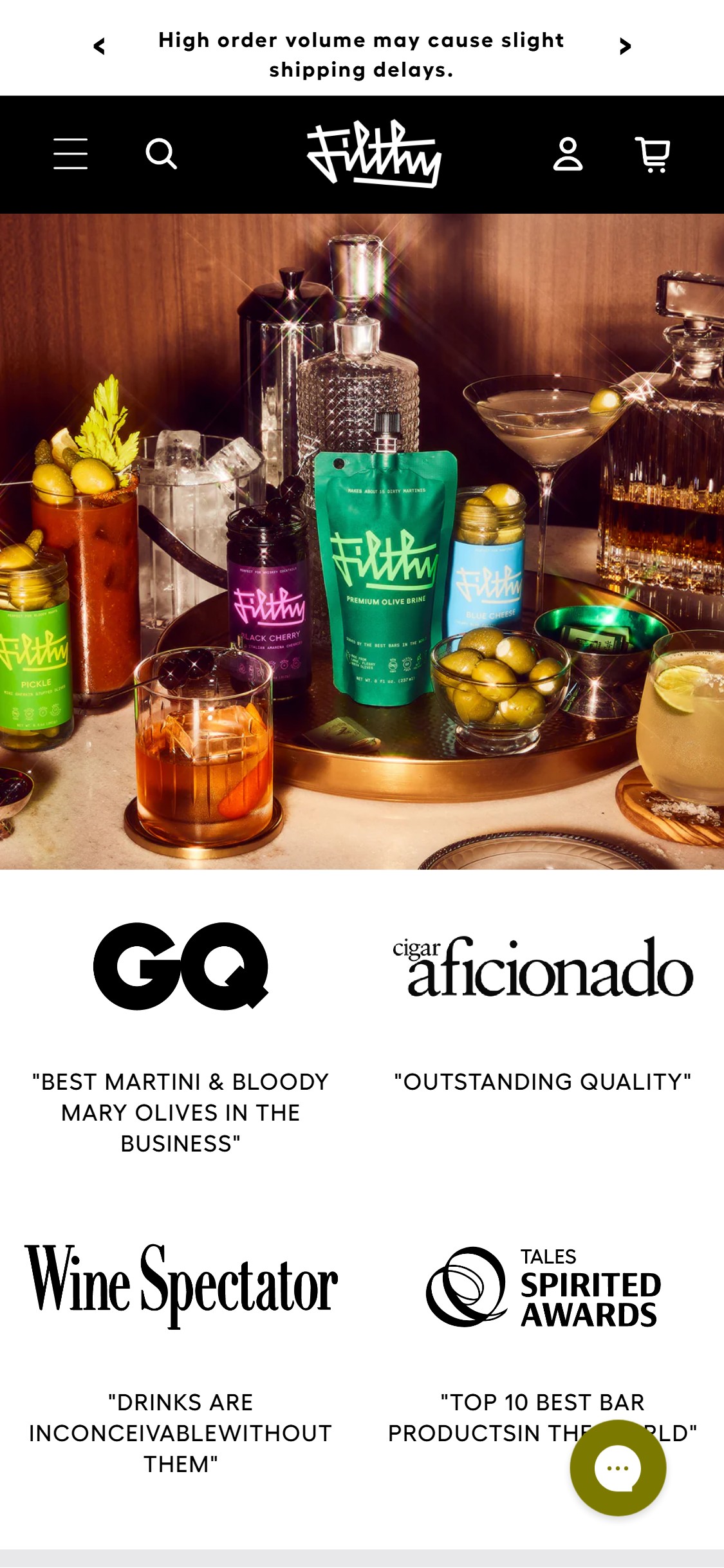
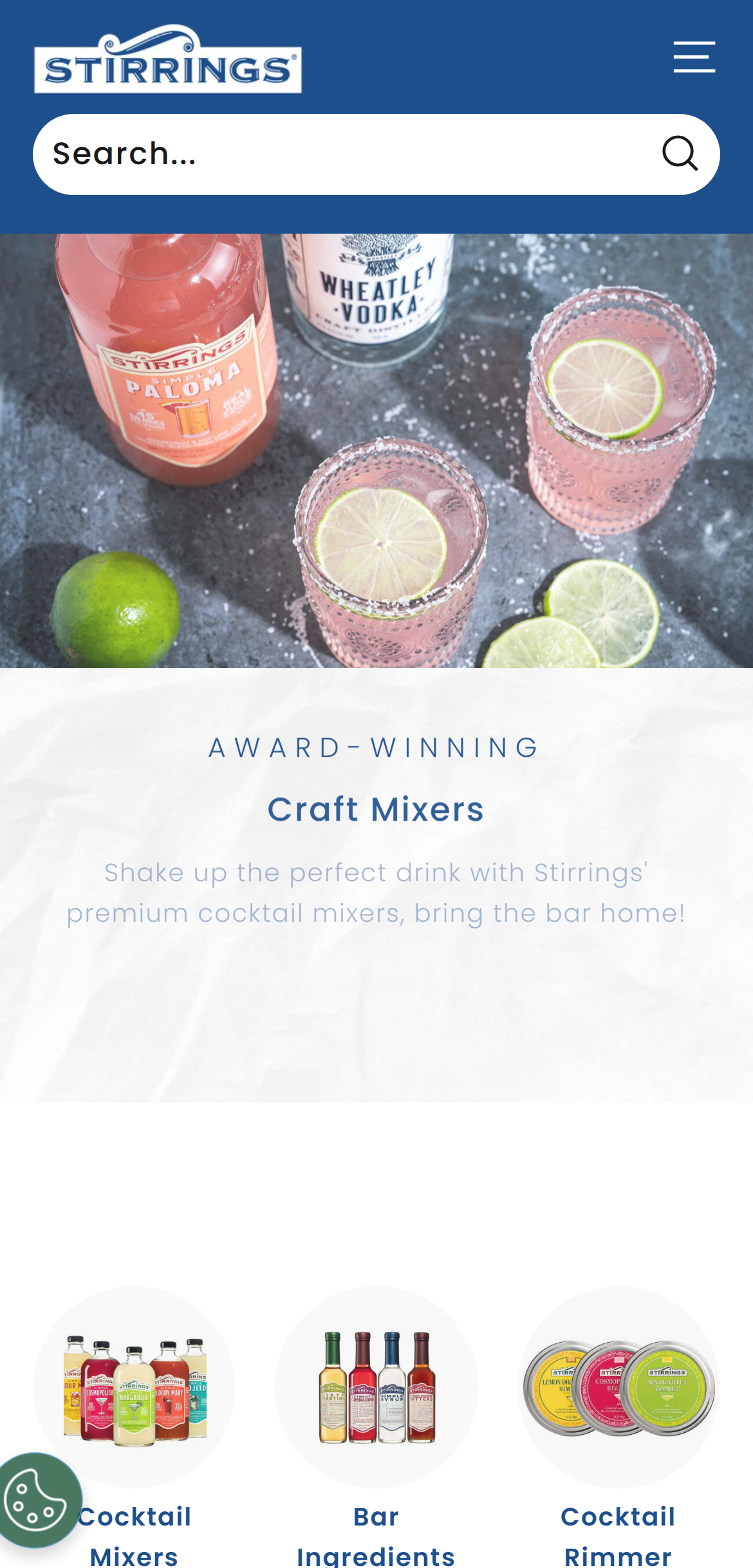
- The homepage hero is a full-bleed product lifestyle image with no visible call-to-action button — no 'Shop Now', 'Shop Cocktail Mixers', or 'Explore the Range' CTA appears anywhere in the hero section.
- Below the hero, the first content visible is press logo badges (GQ, Cigar Aficionado, Wine Spectator) — powerful social proof, but placed before any product navigation CTA, leaving new visitors without a clear next action.
- 10/10 food & beverage benchmark brands (Chomps, Liquid Death, Grind, Athletic Brewing) display at least one primary hero CTA button directing visitors to a shop or collection page.
- Without a hero CTA, visitors who arrive from paid social or search must scroll past brand trust content before finding a shop entry point — increasing drop-off at the most critical first-impression moment.
- Add a primary CTA button to the hero section: 'Shop Cocktail Mixers' or 'Shop All Products' — position it over or immediately below the hero image, above the press logos.
- Consider a dual CTA layout: primary 'Shop Now' + secondary 'Learn Our Story' — common pattern for premium food brands balancing brand narrative with immediate conversion.
- Ensure the hero CTA is visible without scrolling on mobile (390px viewport) — the current hero image height pushes all below-fold content out of the initial view.
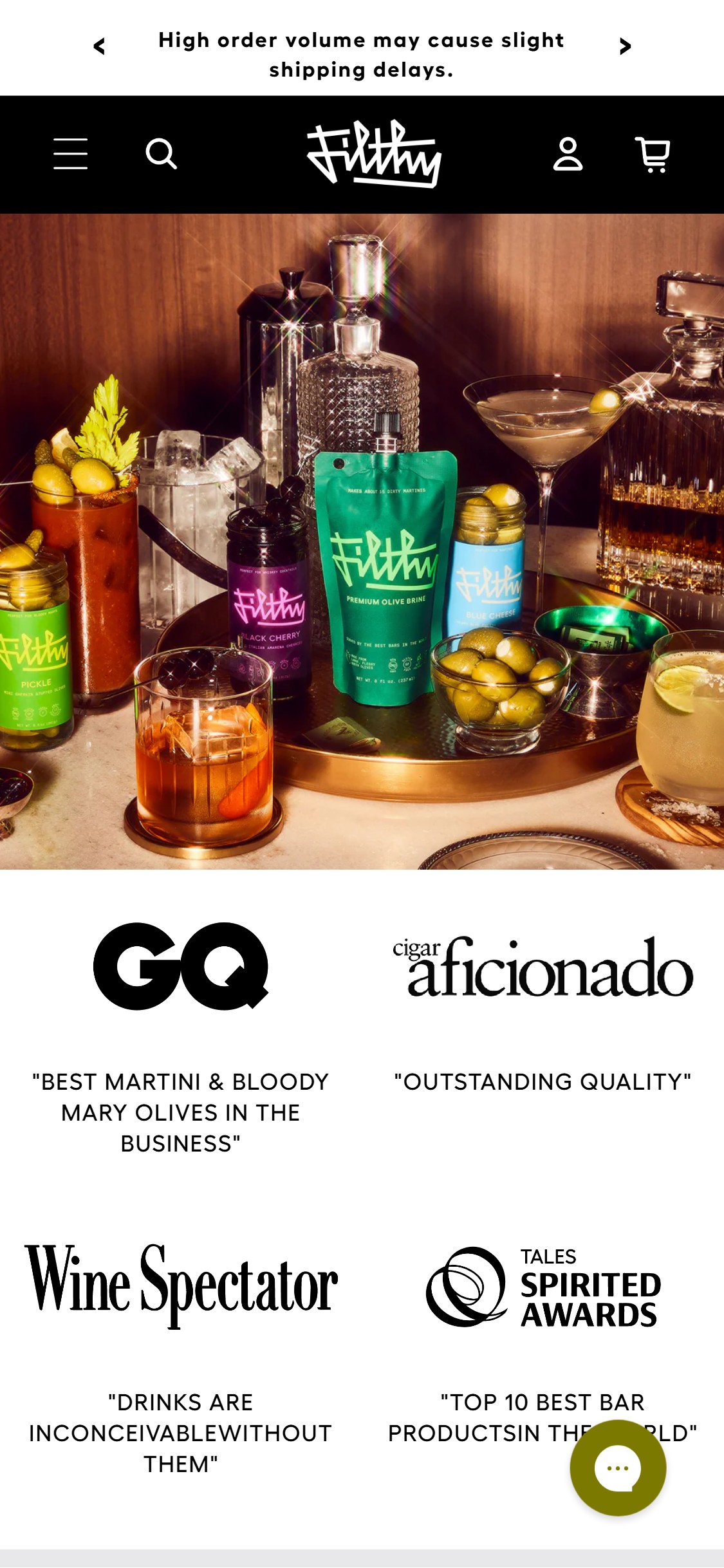
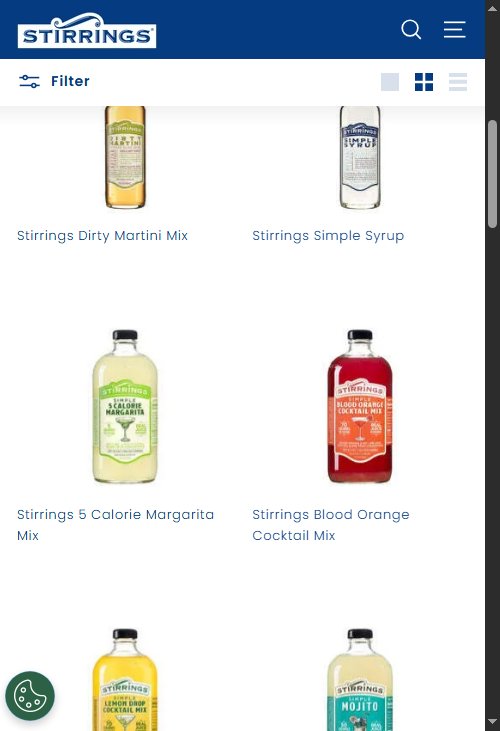
- Homepage product sections visible during scroll show product images and names but no ATC or quick-add button — repeat visitors who know what they want cannot add from homepage without clicking through to PDP.
- The homepage carousel (10 dots visible = ~10 products) presents the product range in a browsable format but functions purely as navigation, not as a conversion surface.
- 10/10 food & beverage benchmark brands use quick-add buttons on homepage product tiles, converting the homepage from a brand brochure into a purchasing surface.
- Filthy Food has a compact catalog of 26 SKUs — homepage quick-add on the 4-6 hero products (Margarita Mix, Bloody Mary Mix, Olive Brine) would capture high-intent return visitors without disrupting the brand narrative.
- Add quick-add ATC buttons to homepage product tiles — for single-variant products, show 'ADD - $10' directly; for multi-variant products, show a size picker popover on hover/tap.
- Feature the 4-6 best-selling products as a dedicated 'Fan Favorites' section with prominent quick-add CTAs — separating hero products from the full carousel improves conversion efficiency.
- Ensure homepage ATC interactions open the cart drawer (not redirect to /cart) for a seamless continue-shopping experience consistent with the cart drawer implementation already live.
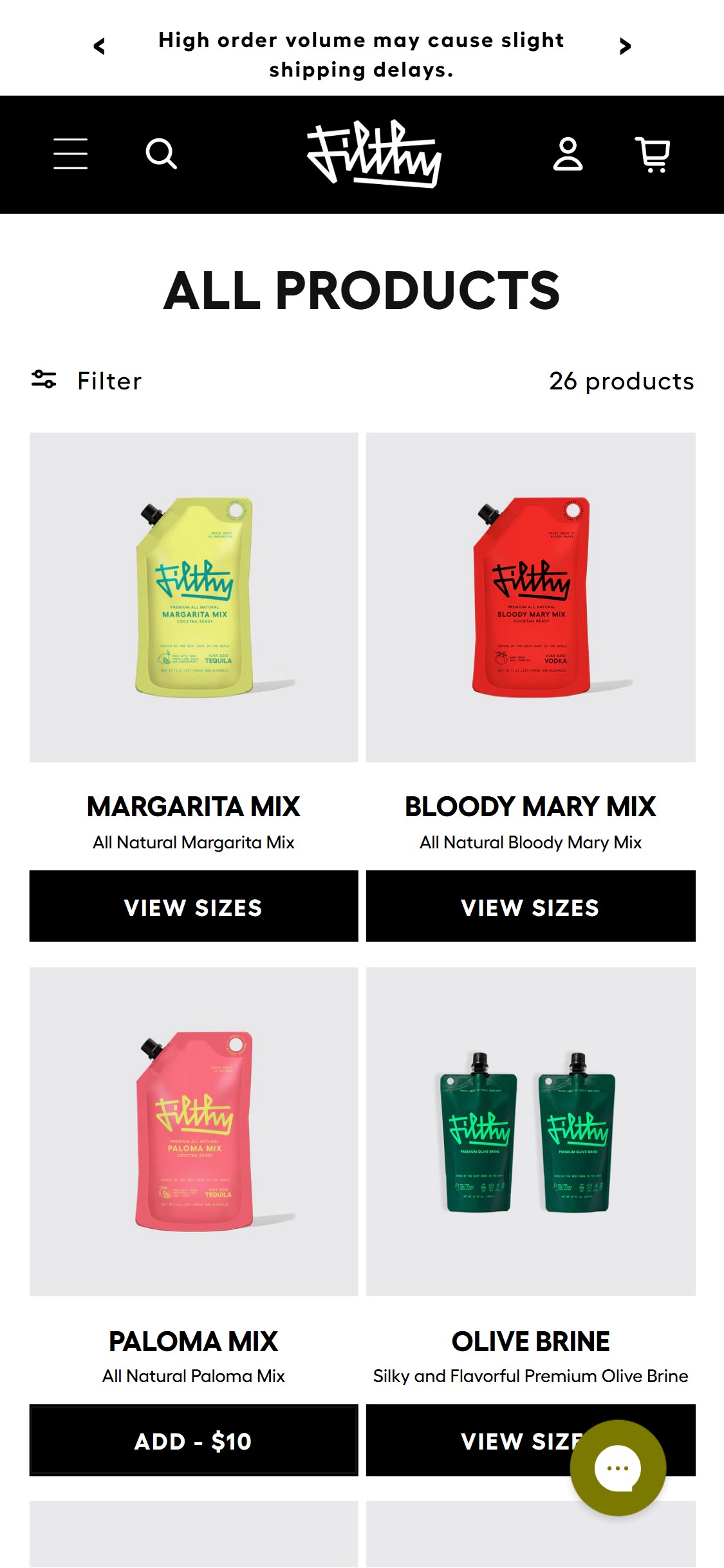
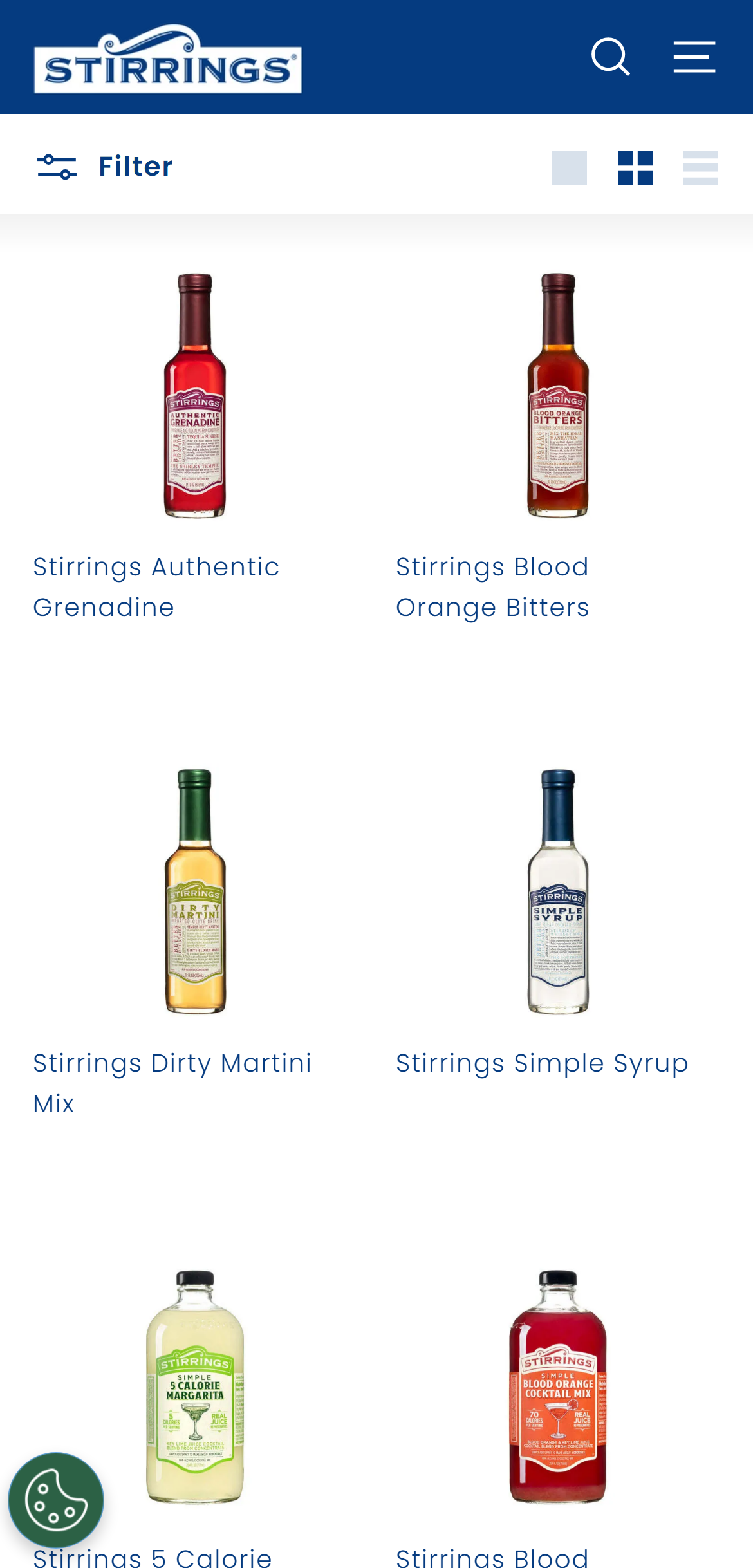
- The majority of product cards on the /collections/all page display a 'VIEW SIZES' button instead of a direct 'Add to Cart' or price-anchored ATC button — forcing shoppers to click through to a PDP before they can purchase.
- Only single-variant products (e.g., Paloma Mix — a single size) show 'ADD - $10' directly on the card. Multi-size products (Margarita Mix, Bloody Mary Mix, Olive Brine) all require a PDP visit to select a size and add to cart.
- 10/10 food & beverage benchmark brands use quick-add functionality on collection cards — the industry standard is 100% adoption for direct ATC on product cards.
- The 'VIEW SIZES' pattern adds a mandatory extra step (click → PDP → select size → ATC) for every multi-variant product, which represents the majority of Filthy Food's catalog. Each added step reduces conversion by 10-20%.
- Implement a quick-add modal or inline size selector on collection cards — tapping 'VIEW SIZES' should open a size picker overlay with ATC button, not navigate to the PDP.
- For the most popular size/SKU per product, display it as the default selection on the card with a direct 'ADD - $10' CTA, matching the single-variant pattern already in use.
- Alternatively, restructure collection card CTAs to 'Quick Add' with a size flyout — this pattern is used by Grind and Athletic Brewing and is well-tested for multi-variant F&B SKUs.
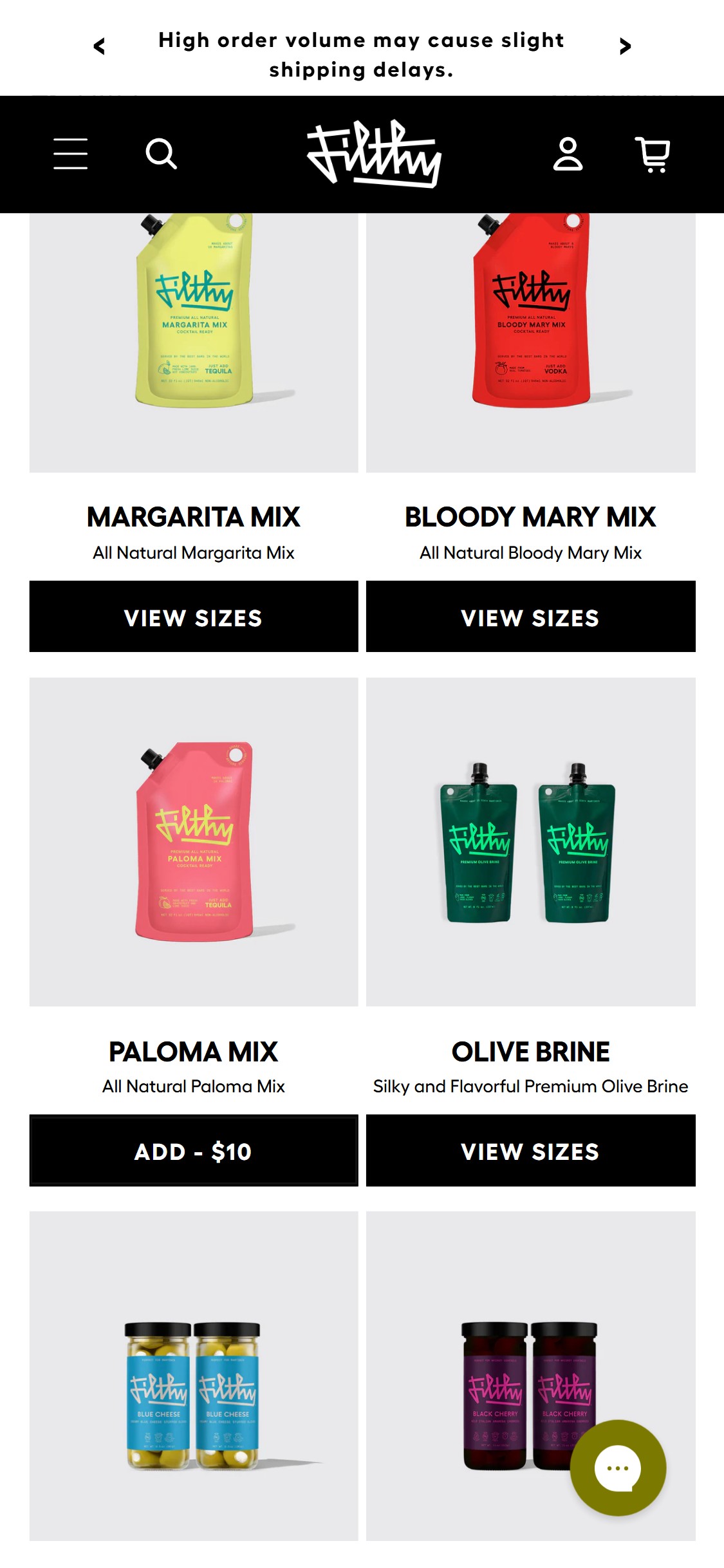
- All 26 product cards on the Filthy Food /collections/all page show product image, product name, short description, and CTA button — but no star rating or review count appears on any card.
- Yet on the PDP, the Margarita Mix shows 4.8 stars based on 167 reviews — strong social proof exists but is invisible during collection browsing, wasting the most impactful conversion signal.
- Other products (Bloody Mary Mix, Paloma Mix) also have visible review counts on their PDPs. None of this social proof surfaces on the collection grid.
- Star ratings on collection cards are a growing pattern (2/10 general F&B, but present on Chomps and other premium food brands) — particularly important for Filthy Food where the cocktail mixer category is unfamiliar to new shoppers choosing between variants.
- Enable star rating display on all collection page product cards — configure the review widget to render the product card star snippet.
- Prioritize showing ratings on the 5-6 products with the most reviews (Margarita Mix at 167, Bloody Mary Mix at 232+) — these are the hero social proof signals that validate the catalog.
- For products with 0 reviews, suppress the rating display rather than showing empty stars — blank star widgets undermine trust more than showing nothing.
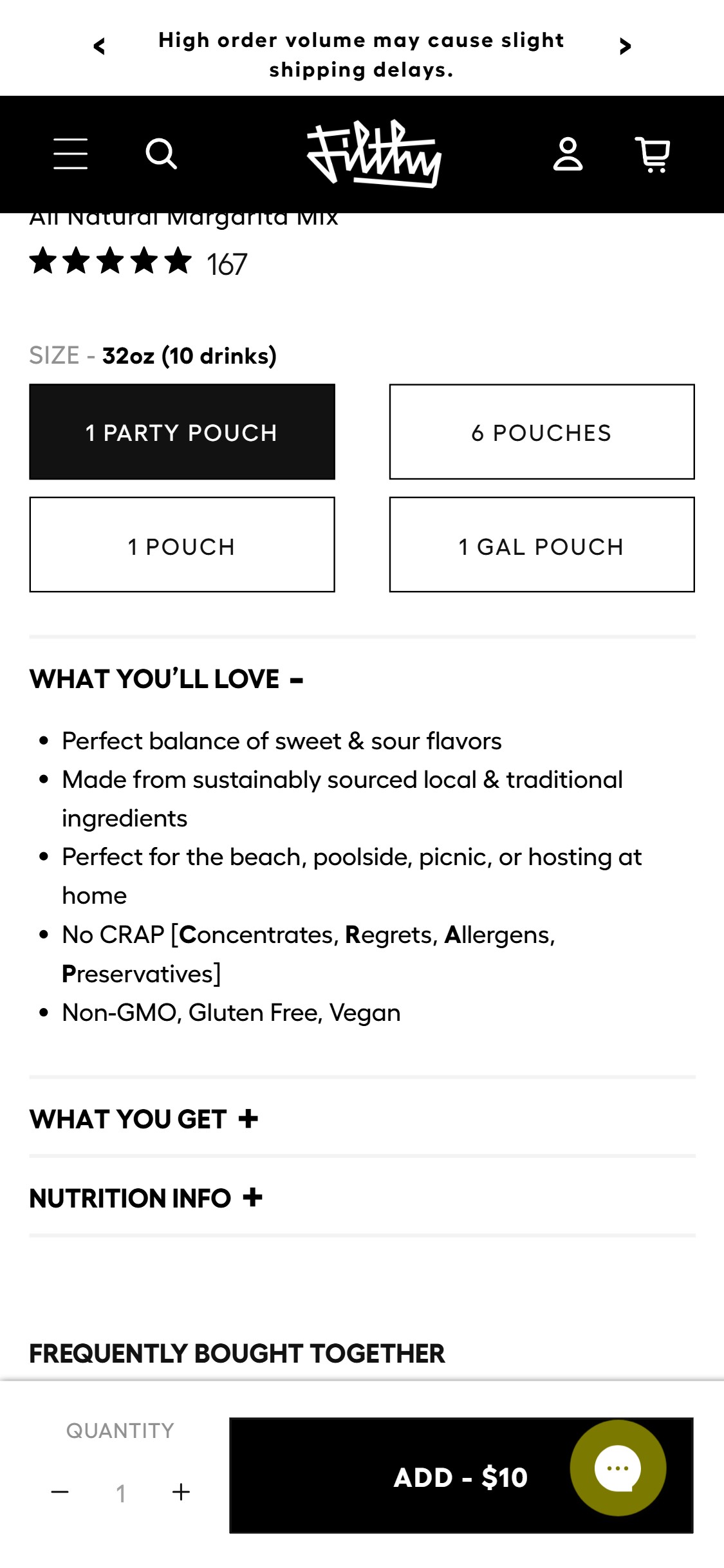
- Filthy Food PDPs (Margarita Mix, Bloody Mary Mix, Olive Brine, Paloma Mix) show no subscription or 'Subscribe & Save' toggle anywhere on the page — only one-time purchase is available.
- Cocktail mixers and olive brine are high-frequency consumables — customers who entertain regularly or run home bars repurchase on a monthly or bi-monthly cadence, making this category ideal for subscription.
- 5/10 food & beverage benchmark brands offer a subscription module on PDPs — and for consumable categories like mixers and garnishes, subscription LTV is typically 3-5x higher than one-time purchase LTV.
- The current variant selector (1 Party Pouch, 6 Pouches, 1 Pouch, 1 Gal Pouch) serves quantity choice well but offers no replenishment option — a Subscribe & Save overlay or tab would sit naturally in this zone.
- Implement a Subscribe & Save module using Recharge Subscriptions or Skio — add a toggle/tab above the ATC button: 'One-Time Purchase | Subscribe & Save 15%'.
- Offer 10-15% discount for subscribers and allow frequency selection (every 4, 6, or 8 weeks) — this matches the repurchase cadence of cocktail entertainer households.
- Highlight subscription on the Olive Brine PDP first (lowest barrier SKU at $10-18) to build subscriber base, then expand to mixer PDPs.
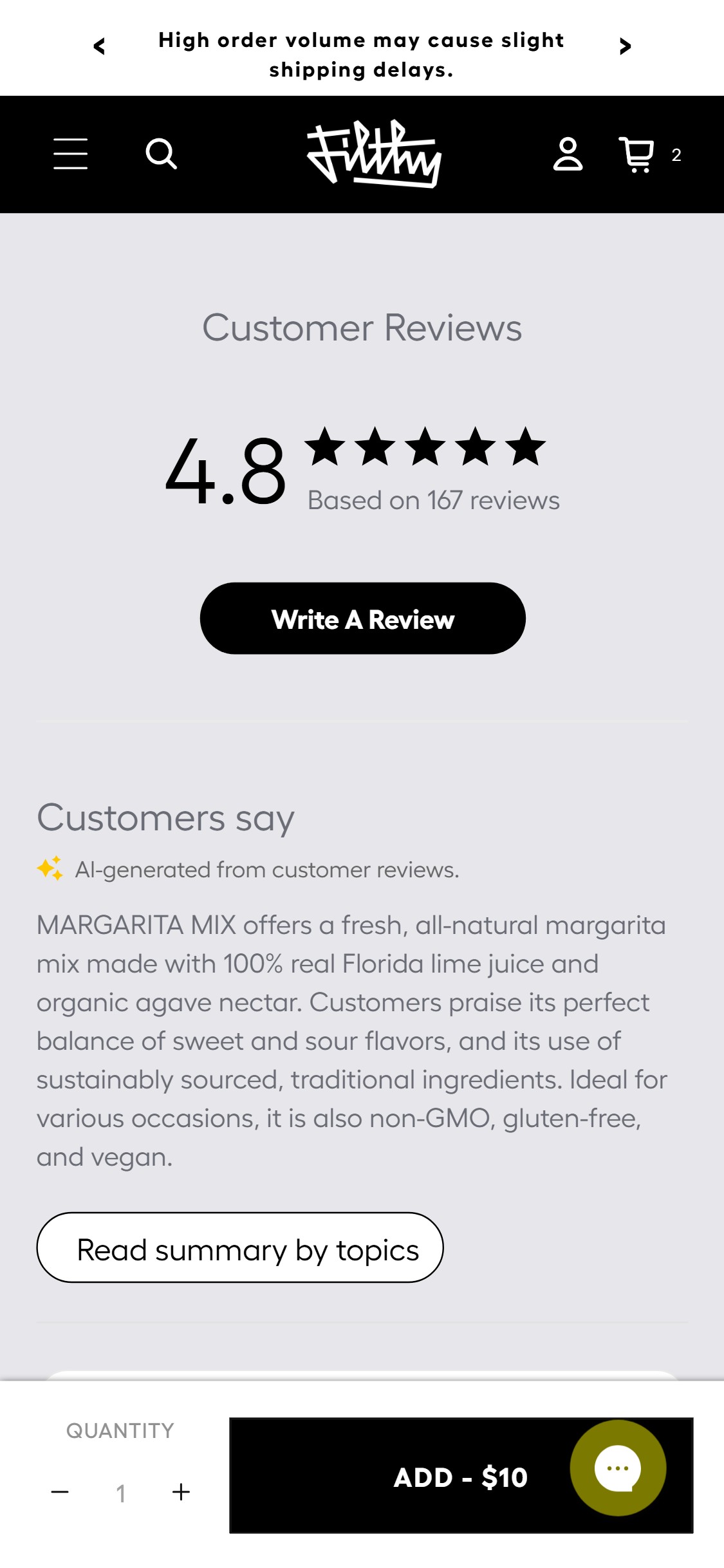
- The Margarita Mix PDP shows a 4.8-star rating based on 167 reviews with an AI-generated summary ('Customers say') — but the reviews section contains no customer-submitted photos or videos.
- For a cocktail mixer brand, user-generated cocktail photos are extremely high-conversion content — shoppers want to see the drink they'll make, not just read about it.
- The review platform appears to be Shopify's native review tool based on the layout and AI summary widget — native Shopify reviews do not support photo/video uploads.
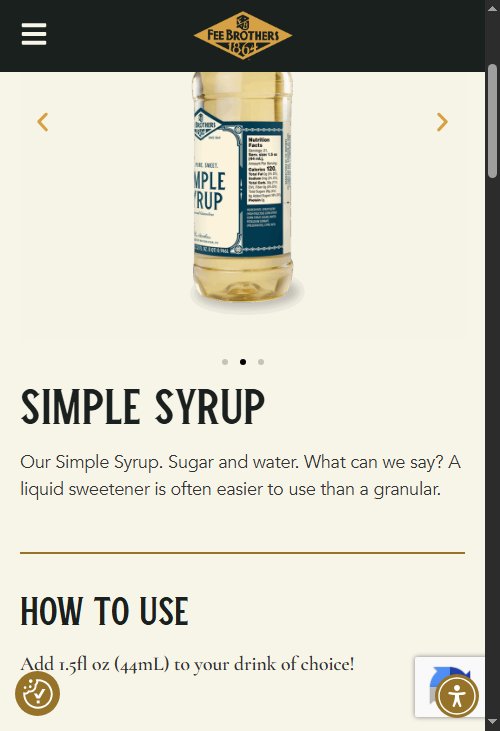
- Competitors in the premium beverage space use Okendo or Judge.me with photo reviews enabled, showing customer lifestyle shots that validate both product quality and cocktail-making results.
- Migrate from Shopify native reviews to a photo-enabled platform: Judge.me (affordable), Okendo (premium UX), or Loox (Instagram-style layout) — all three support photo and video reviews.
- Launch a post-purchase email sequence requesting photo reviews, with an incentive ('Submit a cocktail photo — earn 50 loyalty points or $5 off your next order').
- Feature the top 6-8 cocktail photos in a dedicated 'As Seen in Your Home Bar' section on the PDP and homepage to maximize UGC visibility beyond the reviews widget.
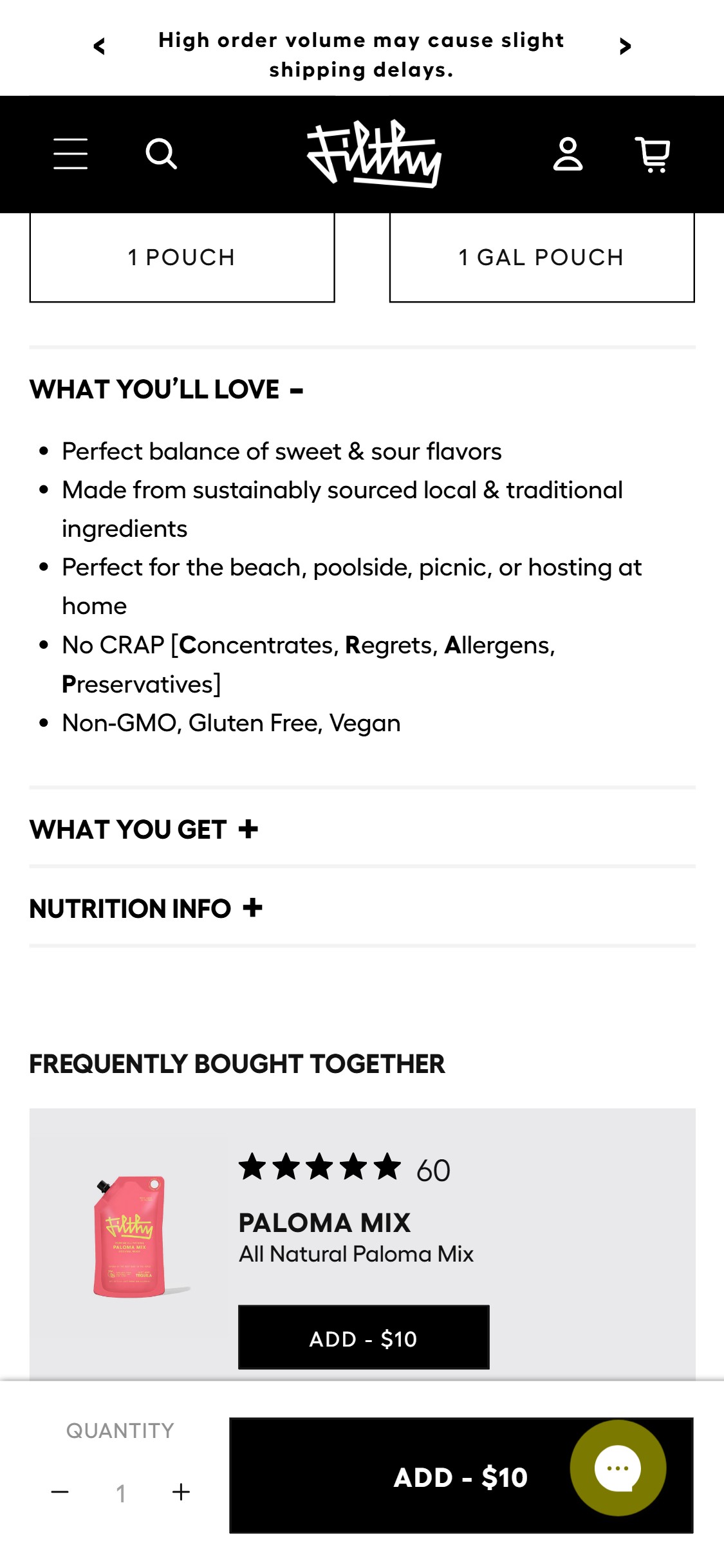
- Filthy Food's strongest differentiators — No Concentrates, No Regrets, No Allergens, No Preservatives (No CRAP), Non-GMO, Gluten Free, Vegan — appear as plain bullet text in the 'WHAT YOU'LL LOVE' section, below the variant selector and below the fold.
- The area directly below the ATC button on mobile has no visual trust signals, no icons, and no certification badges — the purchase decision zone is empty of persuasion content.
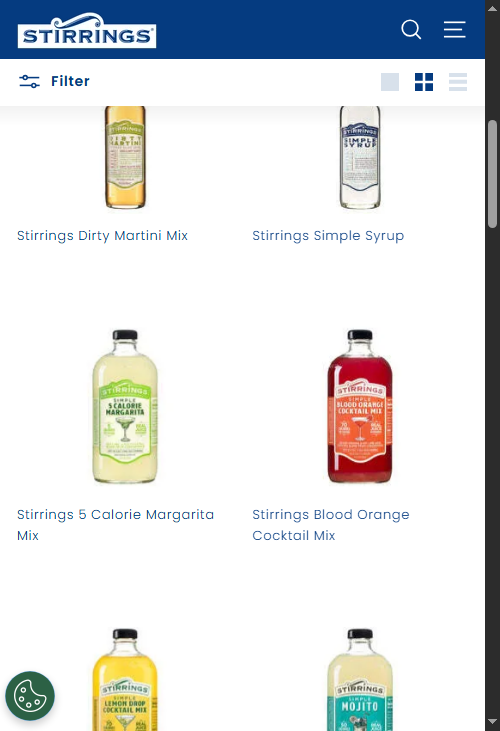
- 7/10 food & beverage benchmark brands (Athletic Brewing, Chomps, Sleepy Owl) display 4-6 USP icons directly on or near the ATC zone — shoppers scan icons 3-5x faster than reading bullet lists.
- Filthy Food's 'No CRAP' branding is a memorable, ownable concept — converting it to a visual icon strip would be a distinctive above-fold trust signal unavailable to generic competitors.
- Create a 4-5 icon USP strip positioned between the variant selector and the ATC button: 'No Concentrates', 'No Preservatives', 'Non-GMO', 'Gluten Free', 'Vegan' — use simple outline icons with 2-word labels.
- Incorporate the 'No CRAP' acronym visually as the header of the icon strip — it's already a brand asset and serves as an immediate attention-stopper for health-conscious cocktail shoppers.
- Implement using product metafields or product tags so icons are consistent across all PDPs without hardcoding per product.
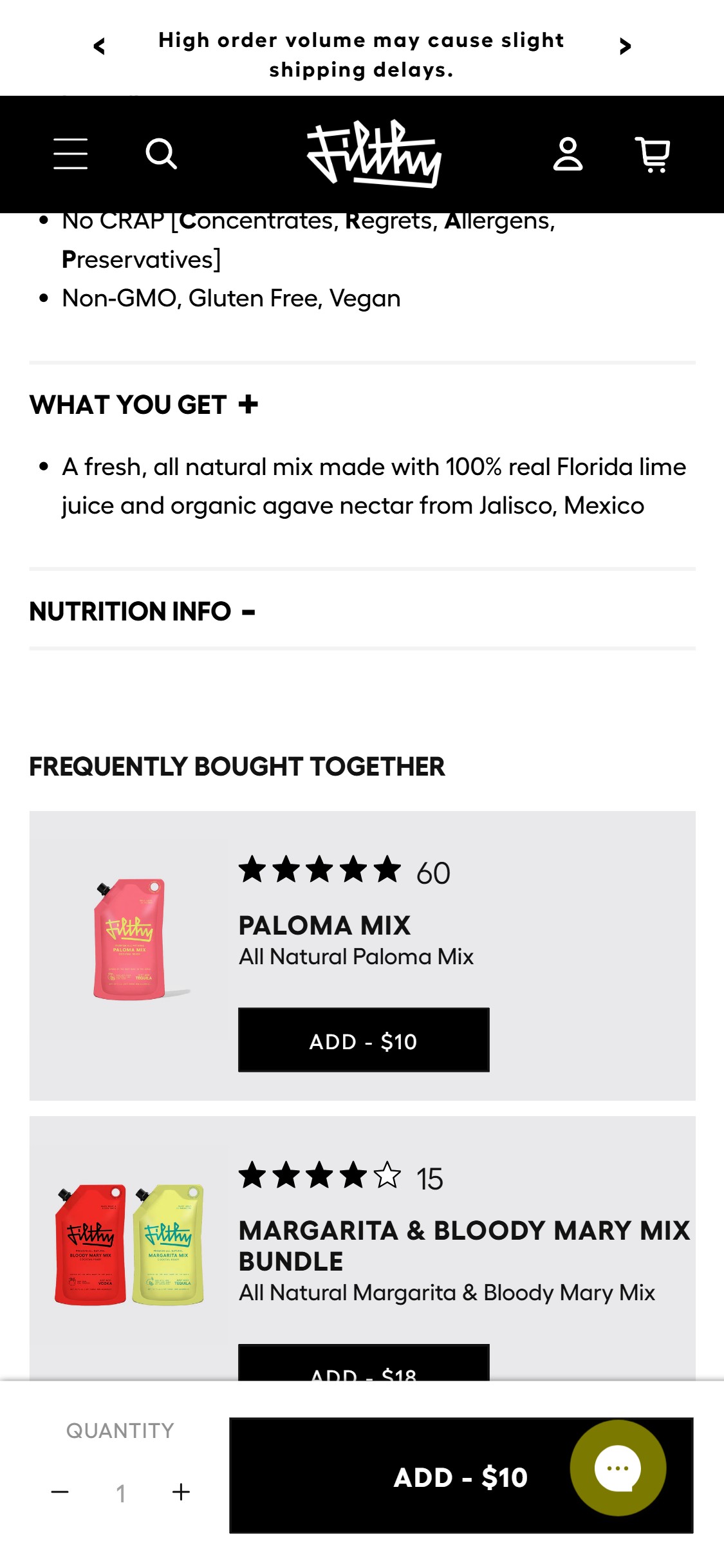
- Filthy Food PDPs include a 'NUTRITION INFO +' collapsible accordion below the 'WHAT YOU GET' section — the nutrition information exists but requires an additional tap to reveal.
- For a brand whose core value proposition is 'No CRAP' and 'All Natural', the nutrition label is a trust validator that health-conscious shoppers actively look for before purchasing.
- The collapsed accordion is below the mid-page scroll point on mobile — shoppers who don't scroll far enough never discover the nutrition information, missing the primary purchase justification for health-conscious cocktail buyers.
- 3/10 food & beverage benchmark brands display nutritional info in an above-fold or expanded format on PDPs — Athletic Brewing makes nutrition a headline feature.
- Default the 'NUTRITION INFO' accordion to expanded state (or place a condensed nutrition panel with key stats — Calories, Sugar, Ingredients — in a visible card near the ATC button).
- Add a 'Clean Label Guarantee' callout above the ATC button that links/expands to show key clean-label stats (e.g., '0g added sugar, No preservatives, 4 whole ingredients').
- Consider a dedicated 'Ingredients' module with illustrated ingredient callouts for the hero products — aligning with the ingredient transparency trend in premium F&B.
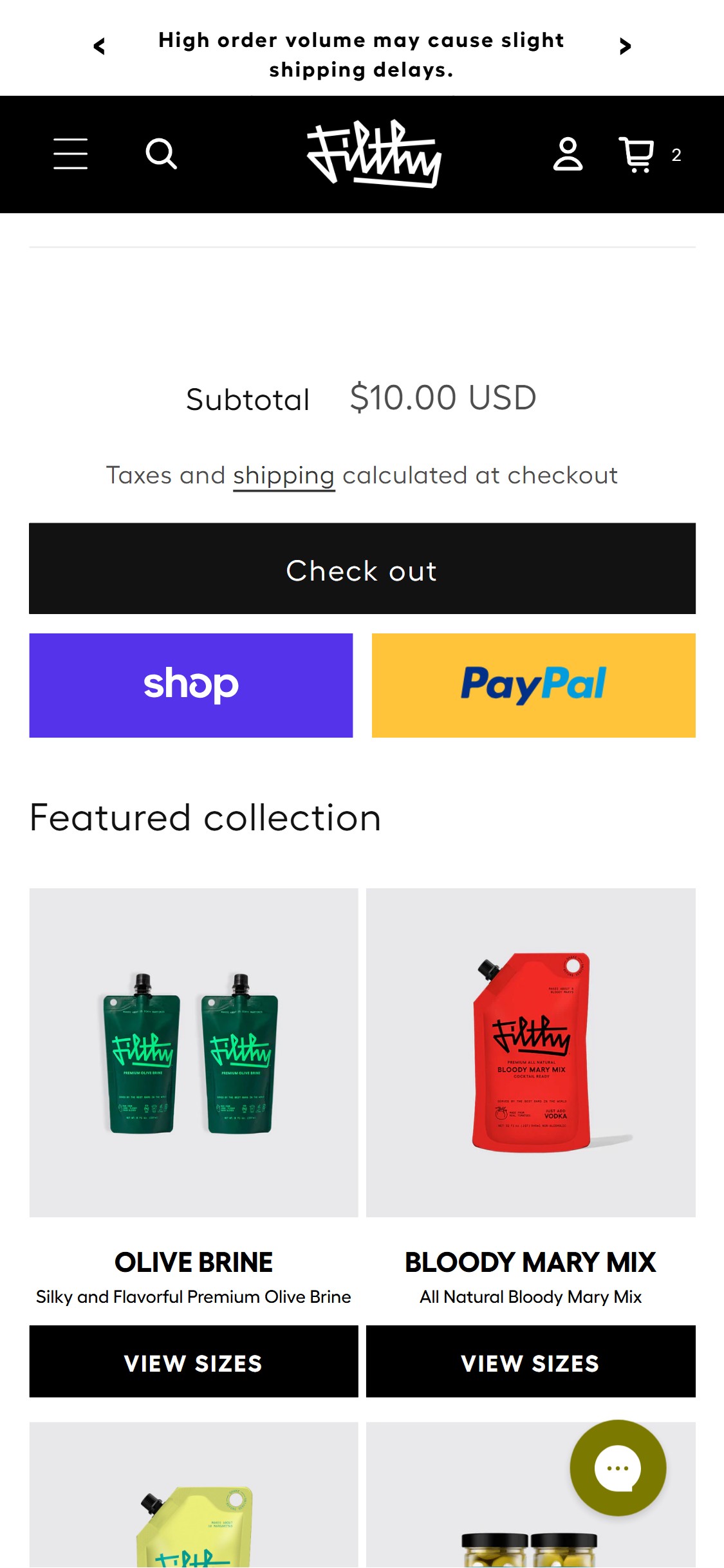
- The Filthy Food cart drawer (slide-out) shows a free shipping progress bar: 'You're $40.00 away from free shipping!' — a strong AOV nudge mechanic.
- However, the full cart page (/cart) shows no such progress bar — shoppers who navigate directly to the cart page see only 'Spend $40.00 for free shipping' as static text in the shipping line.
- This creates an inconsistent experience: shoppers arriving at cart via the drawer get the gamified progress bar; those arriving via other routes get static text only.
- The free shipping threshold ($40) is well-calibrated for Filthy Food's price points — a single 32oz Margarita Mix pouch at $10 leaves a clear $30 gap that cross-sell recommendations could bridge.
- Replicate the cart drawer free shipping progress bar on the full /cart page — display it at the top of the cart, above the product list, with the same dynamic update behavior.
- Pair the progress bar with a 'Recommended to reach free shipping' cross-sell row showing 2-3 products priced to close the gap.
- Ensure the progress bar updates in real-time via JavaScript when quantities change without a page reload.
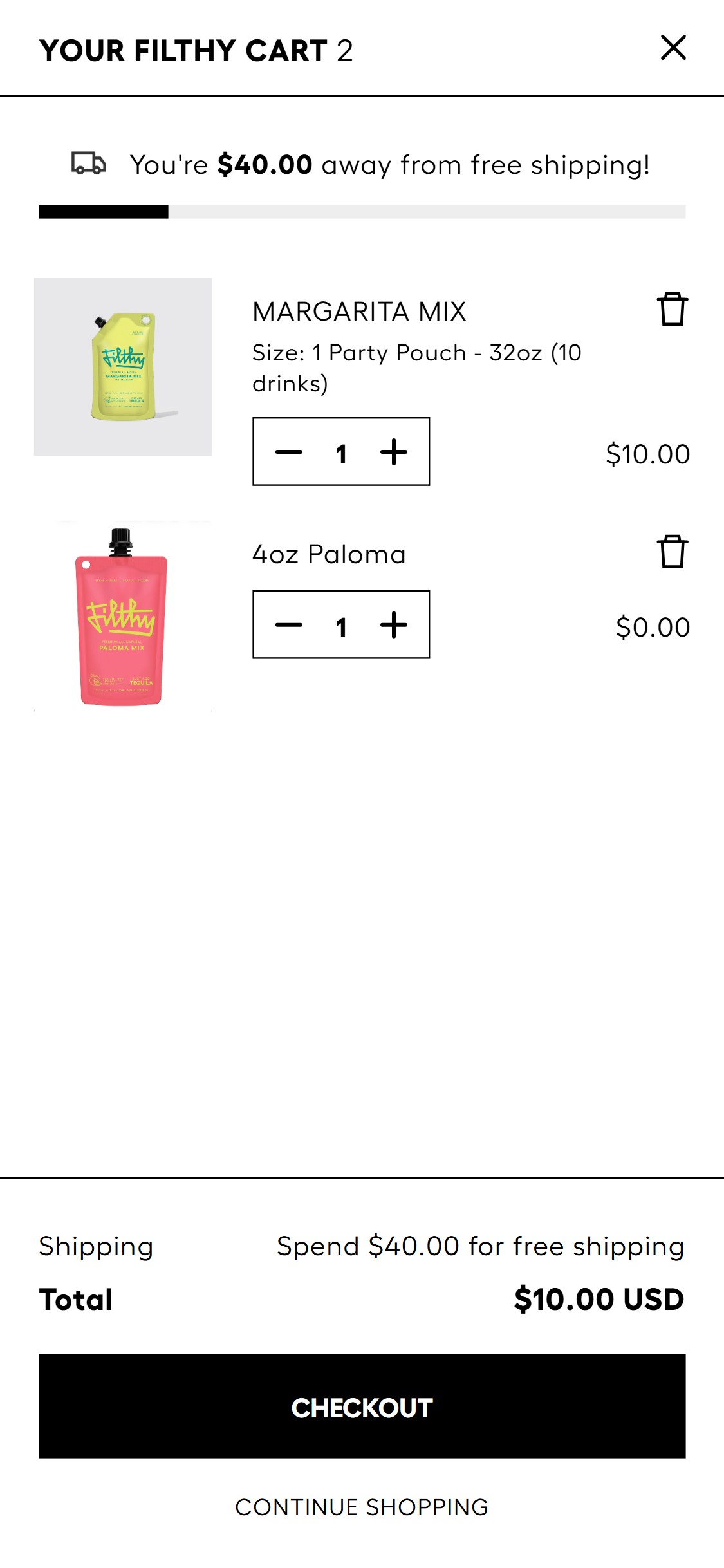
- The Filthy Food /cart page checkout area shows: Subtotal amount, 'Taxes and shipping calculated at checkout' text, a 'Check out' button, and Shop Pay / PayPal express buttons — but no security badges, payment icons, or trust signals near the checkout CTA.
- No lock icon, SSL assurance copy, or 'Secure Checkout' badge appears near the checkout button on either the cart page or cart drawer.
- For a US-based specialty food brand selling to first-time buyers, payment trust icons (Visa, Mastercard, Apple Pay, Google Pay) near checkout reduce payment anxiety at the last friction point.
- The cart drawer does show Shop Pay and PayPal brand buttons (which inherently carry some trust), but the full cart page checkout area lacks even these visual reassurances below the main checkout button.
- Add a payment icon strip (Visa, Mastercard, Amex, Shop Pay, Apple Pay, Google Pay, PayPal) immediately below the 'Check out' button on the full cart page.
- Add a single trust line above or below the payment icons: '100% Secure Checkout — Encrypted & Protected' with a padlock icon.
- Consider adding a one-line return/satisfaction policy reminder near checkout: 'Questions? Reach us at wecare@filthyfood.com'.
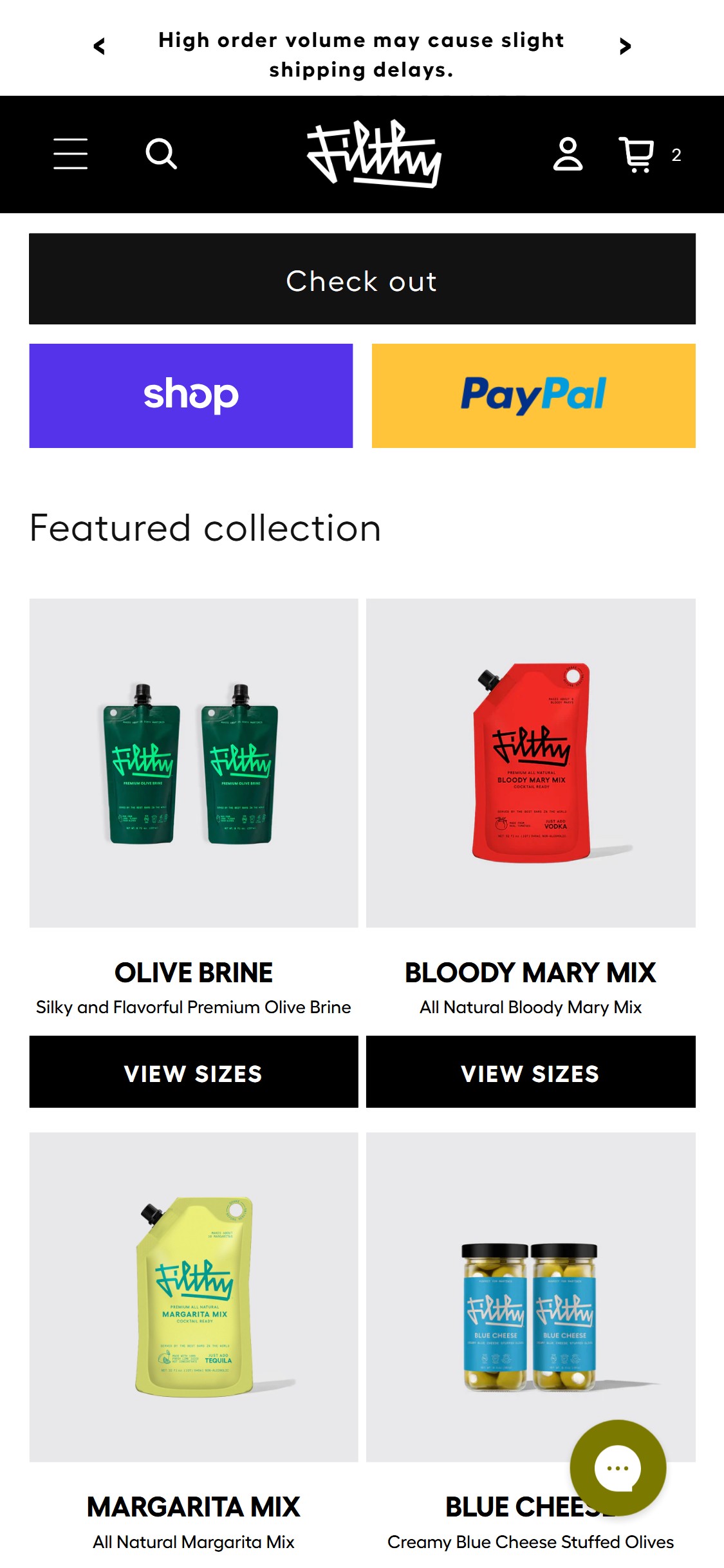
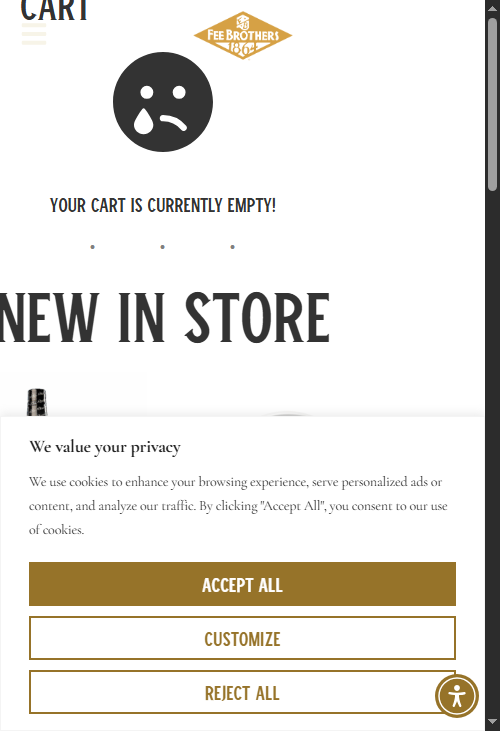
- Filthy Food's cart page and cart drawer show no product recommendations, no cross-sell section, and no 'You May Also Like' prompts — the cart is a pure summary page with no upsell surface.
- The PDP has a 'FREQUENTLY BOUGHT TOGETHER' section with cross-sell products (Paloma Mix, Bundles, Bloody Mary Mix) but this recommendation logic does not carry through to the cart experience.
- 8/10 food & beverage benchmark brands show cart cross-sell — for a cocktail brand, 'Build Your Home Bar' bundles or 'Add a Garnish' cross-sells are highly contextual and AOV-boosting.
- A shopper who adds Margarita Mix to cart is the perfect target for a 'Add Blue Cheese Olives for the perfect Dirty Martini' cross-sell — the product catalog supports extremely relevant pairings.
- Add a 'Pairs Well With' or 'Complete Your Bar Cart' cross-sell section to both the cart drawer and /cart page — show 2-3 SKUs contextually matched to what's in cart (mixer → garnish, brine → olive jar).
- Leverage the 'Frequently Bought Together' logic already present on PDPs — surface the same pairing data in cart for consistency.
- For cart values below the $40 free shipping threshold, prioritize cross-sells priced at the exact gap amount.
Performance & Technology
Core Web Vitals, page-speed signals, and the technology stack powering Filthy Food
Core Web Vitals
Technology Stack
Performance & Technology Assessment
Mobile performance is needs work (19/100); desktop is needs work (—/100) on Shopify. Page-speed and Core Web Vitals are increasingly load-bearing for SEO and conversion in this category — addressing the weakest vital first is the single highest-leverage technical improvement available.
Confidential — Prepared for Filthy Food by Growisto | May 2026
App Ecosystem
What's installed vs what's missing from best-in-class Food & Beverage stores
Present (6)
Missing (8)
App Stack Assessment
Filthy Food has 6 apps covering cart optimization, social proof, cross-sell, and customer support. The 8 identified gaps represent the highest-leverage growth opportunities: subscription (LTV 3-5x), photo reviews (CVR +15-25%), and cart cross-sell (AOV +15-25%).
Confidential — Prepared for Filthy Food by Growisto | May 2026